Storytime
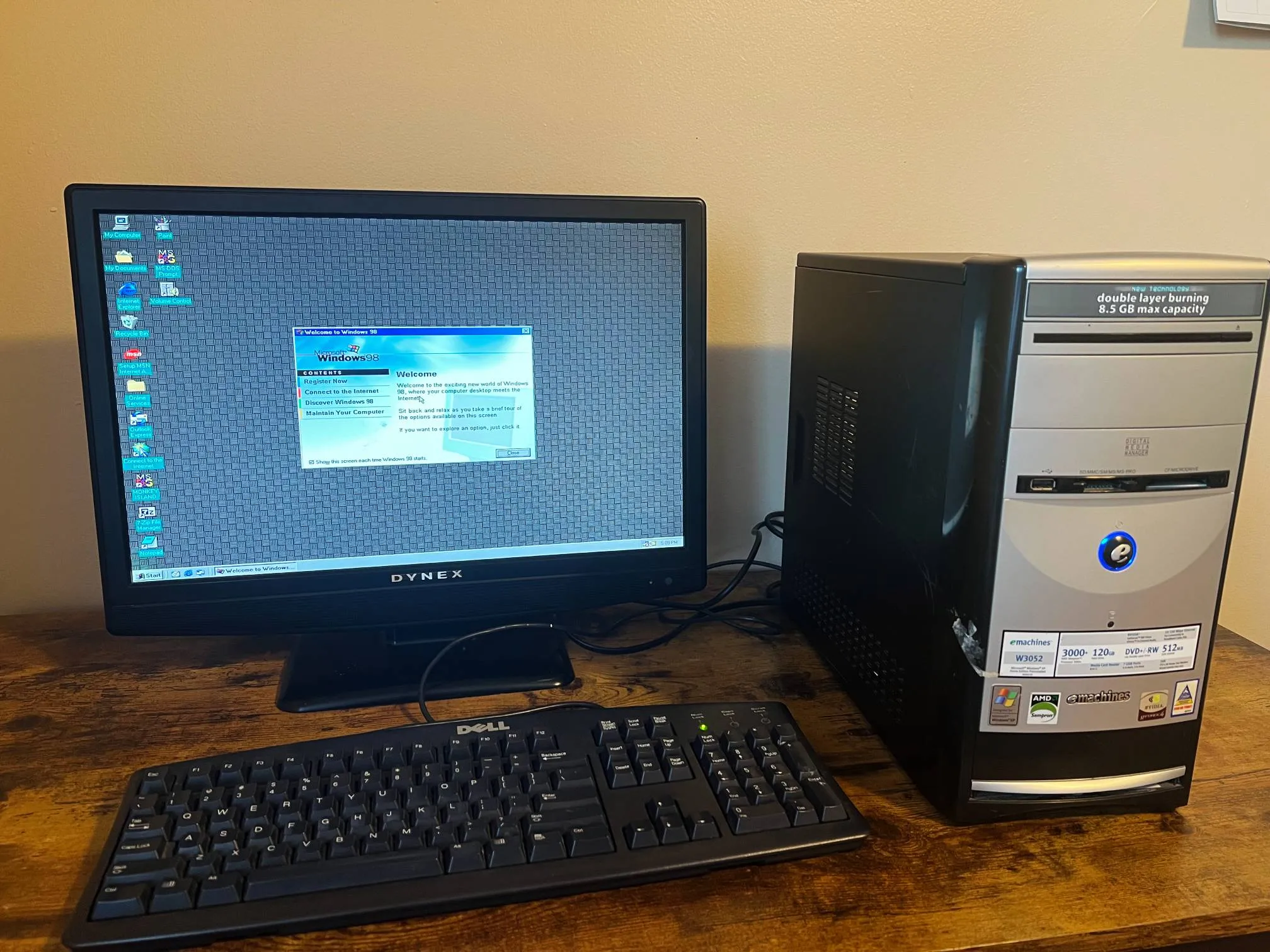
I was driving around town with my brother a few days ago. We came across a garage sale that was closing up soon. We hopped out and started browsing what was still out. Among some nice t-shirts and trinkets, I found a dusty old Windows XP PC. I like collecting old computers and consoles, reviving them, and then tucking them away in a closet lol. So I picked this one up for the price of two Snickers bars.
Fooled by the Nvidia stickers on the PC, I decided to load up Deus Ex from 2000. It ran painfully slow. After checking the hardware specs, it was obvious that anything 3D or made after Y2K will be a slideshow. DOS-era games ran smoothly, but only if they were even able to start on Windows XP. Windows XP was a departure from the previous iteration’s DOS roots towards the modern NT kernel. DOS games often have audio issues when running on Windows XP.
I kept the machine on Windows XP for a few days and listened to some MP3s on Winamp. There’s a certain magic to it.
I wanted to put Windows 98 SE on this machine, which is considered a good OS for enjoying DOS games. The official way is probably installing using a CD, but the disk reader on this machine showed no signs of life.
Instructions
Windows 98 does not support USB drives natively, but installing from one is possible using some FreeDOS tools and Rufus.
What you’ll need
Grab these things to prepare the USB drive:
- Rufus to create a bootable, minimal FreeDOS environment
fdisk.exe,format.exe,sys.com, andxcopy.exefrom the FreeDOS ISO, or grab the binaries individually from the repos:- fdisk.zip
- format.zip
- kernel.zip, which includes
sys.com - xcopy.zip
- Windows 98 setup files from an ISO
Steps
- Use the bundled FreeDOS option in Rufus to create a bootable USB drive.
- Copy over the four FreeDOS tools and Windows 98 setup files to the USB drive.
- Boot from the USB drive.
- Use
fdisk.exeto partition the internal HDD.- I created a single FAT32 partition for the C: drive.
- Use
format.exewith the/sflag to format the partition.- The
/sflag usessys.comto copy overKERNELandCOMMANDfrom FreeDOS. This ensures that we have a basic environment on the internal HDD to start the Windows 98 setup from.
- The
- Use
xcopy.exeto copy Windows 98 installation files to the internal HDD. - Unplug the USB drive and reboot from the internal HDD.
- Run setup.exe!!!
- I used these flags:
setup /nm /is /ie /c /p j;a. They bypass some hardware checks that often freeze the setup. See Setup Command-Line Switches.
- I used these flags:
- Optional: Also install the NUSB driver from Phil’s Computer Lab for USB drive support after Windows 98 is installed.
That should be it.
More yapping
Check out this glorious pixel art from The Secret of Monkey Island:
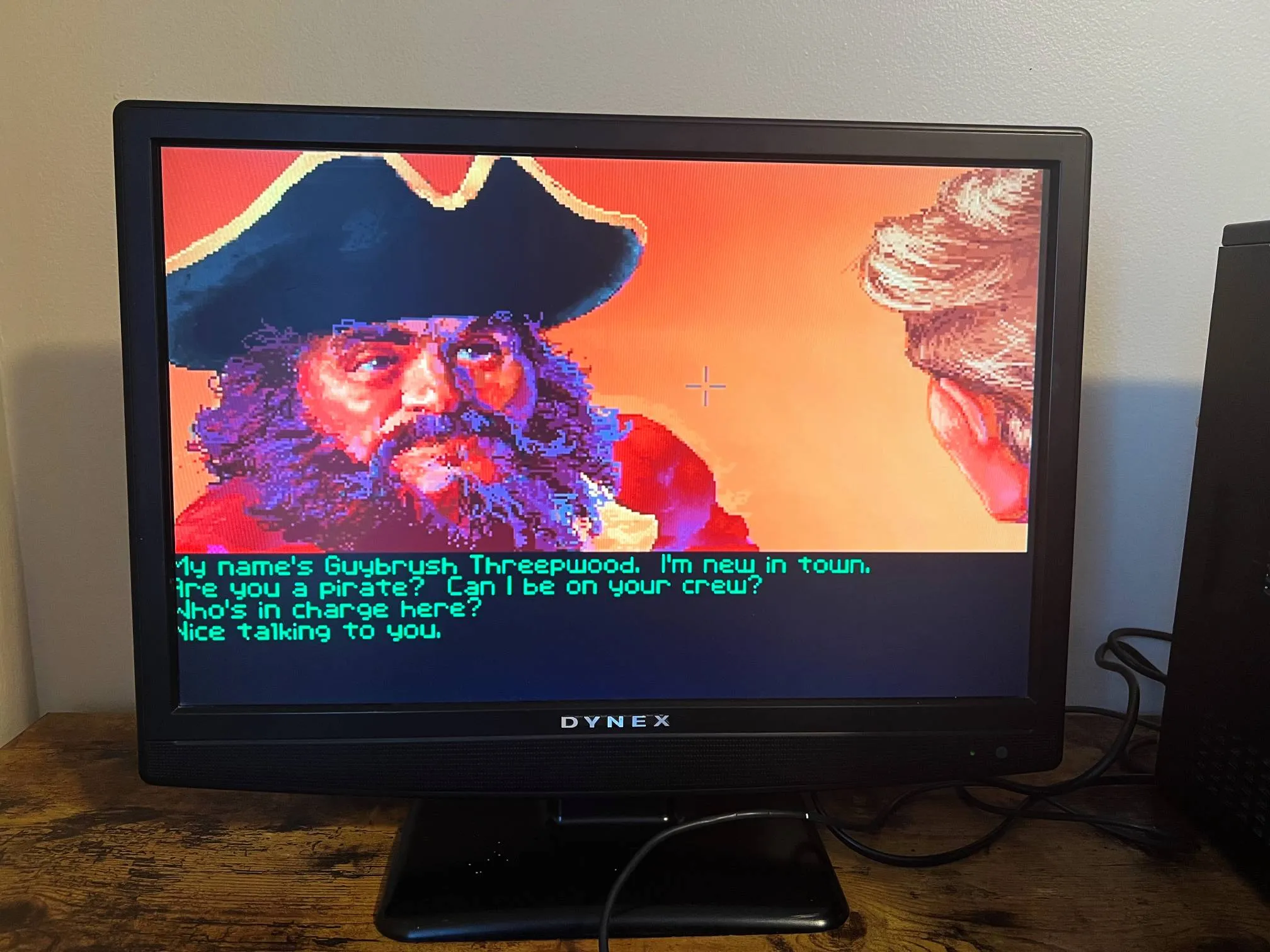
Also, I had no speaker plugged in, but this game still plays some nice chiptunes using the basic beeper on the motherboard. Some peak 90s gamedev wizardry.